

How to Make the Most Out of Safe Multisig in Ambire
This article not only highlights the benefits of using Safe with Ambire but also showcases some examples for solo users, as well as DAOs, treasury teams etc.


Safe multisig wallets set the gold standard for onchain security. Traditionally, they have been used for treasury teams, DAOs, organizations, etc., but we believe multisigs should be for everyone, and we're making them easier to use.
Ambire brings Safe accounts first-class into both its browser extension and mobile app (app is in beta), making it easier than ever to initiate, co-sign, and manage multisig transactions without jumping between tools.
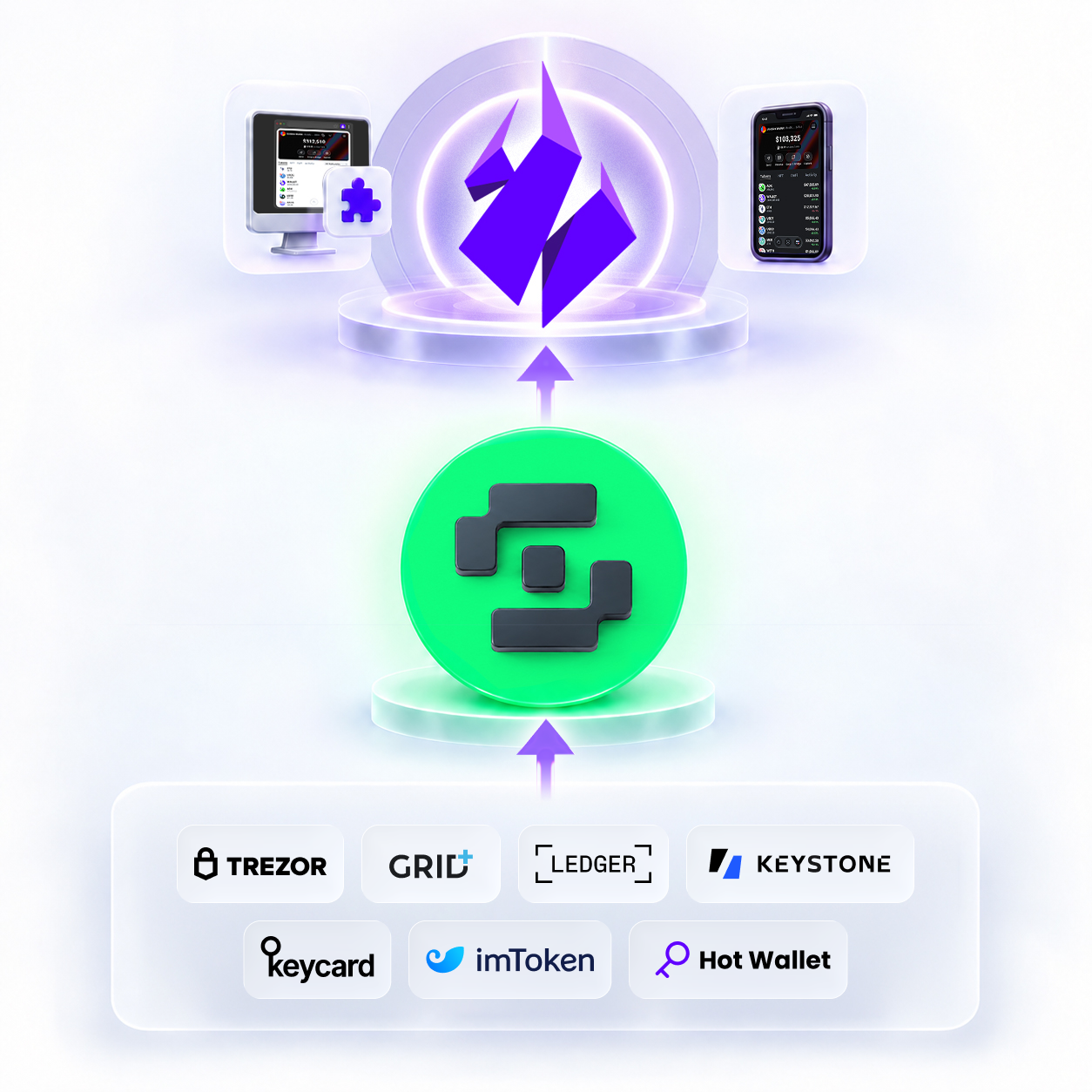
Support for managing Safe multisig in Ambire now spans hot wallets, Ledger, Trezor, GridPlus, and QR-based wallets like Keycard, Keystone, imToken, and more.
The extension and mobile app setup enable a perfectly synced Safe multisig experience. You can initiate transactions on an extension and complete them on your mobile and vice versa!
This article covers managing Safe accounts in Ambire, security features, tips for solo-users and teams + a video demo that wraps up the whole article!
Benefits of using Safe with Ambire
First, let’s look at what benefits the combination of Safe & Ambire brings you!
To begin with, using Safe with Ambire gives you the security of Safe’s multisig architecture without sacrificing the convenience of a full-featured wallet. Your Safe account and its multisig rules stay exactly the same, while Ambire gives you a simpler interface for managing transactions, connecting to apps, and coordinating signatures. You can batch multiple actions into a single transaction, review simulated outcomes before signing, and use clear signing to understand what you’re actually approving.
Ambire also supports a wide range of signing setups, including hardware wallets and hot wallets, while its Safe API integration keeps transactions and signatures synced between Ambire and SafeGlobal.
For individual users, this means you can gradually increase your security without having to move your funds to a new address. For example, you can start with a single signer and later add a hardware wallet or additional signer.
For teams and DAOs, it means fewer clicks, fewer individual transactions to coordinate, and overall a smoother workflow for managing shared funds. Best of all: achieving all of this while keeping the underlying Safe security model intact!
What you get when using Safe with Ambire
Importing accounts
Safe accounts can be easily added into Ambire by importing them with account public address or by owners. Ambire will automatically discover your Safe accounts. A wizard for creating accounts directly in Ambire will follow in the future, and meanwhile you can create accounts in SafeGlobal and then import.
How to import Safe accounts
Connect your Safe accounts to any app
Ambire lets you perform basic operations like transfers and swaps right inside the wallet, while also letting you connect your Safe account to any app.
How to connect your Safe account to apps
Ambire Transaction Builder
Let’s look at an example of a requested swap on Defillama’s swap aggregator by swapping USDC into ETH on Ethereum.
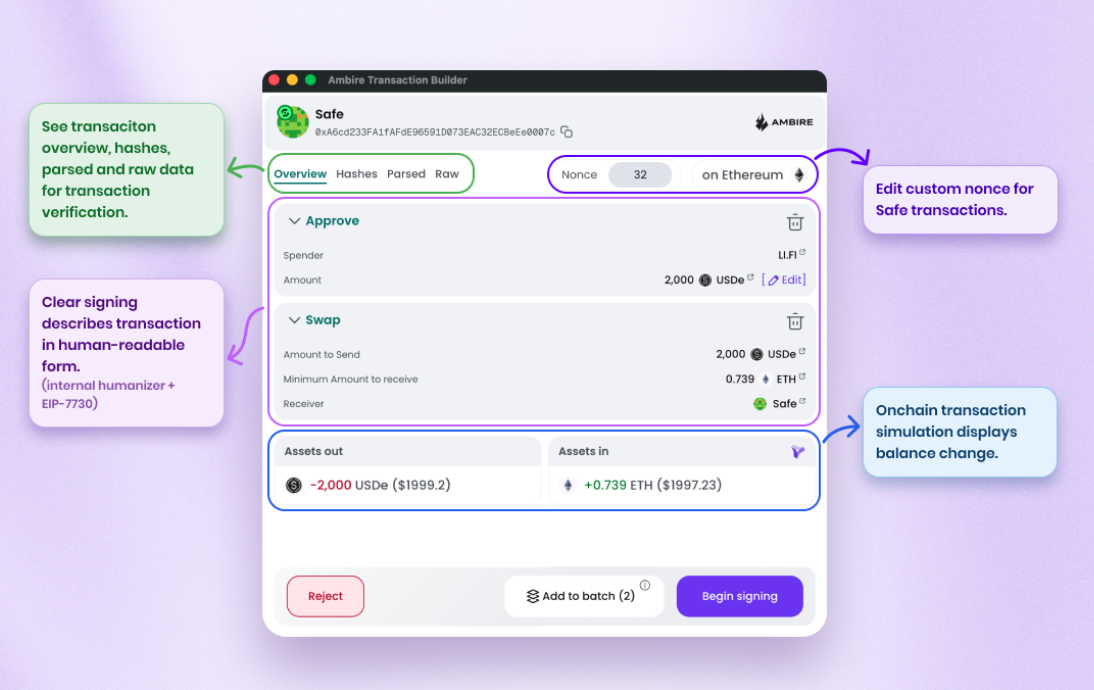
Edit custom nonces and “Queue” transactions
Safe power users can set custom nonce while building and signing multiple transactions. Additionally, you can queue multiple transactions on different nonces with no overlapping issues.
Approve & Swap
Bundles exact limited approval and swap into a single transaction. This significantly reduces signing time (sign 1 transaction instead of two) and eliminates the need for revoking approvals.
Clear signing
Transactions are presented in human-readable format thanks to Ambire’s in-house humanizer and support for clear singing EIP-7730.
Onchain transaction simulation
Simulates the outcome of the transaction before signing it.
Safe hashes and JSON
Ambire displays Safe hashes, parsed, and raw view so the signers can be confident they’re signing the right transaction, especially when hardware wallets are involved or when multiple signers need to coordinate the transaction.
Tip: Use a mobile app as co-signer or import your Safe accounts in view-only mode. This way you can verify transactions on both devices!
Let’s move to the final step and confirm the transaction.
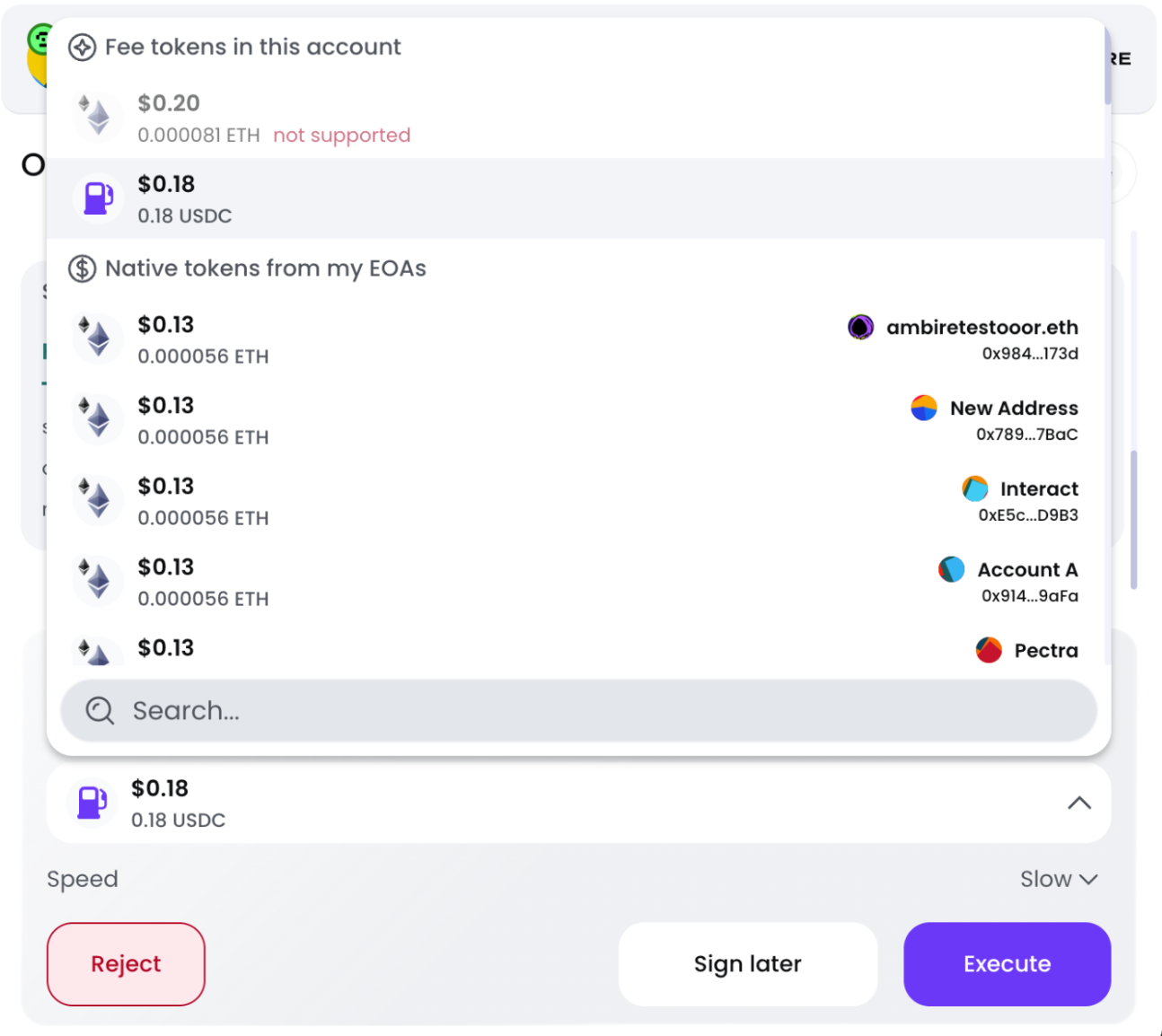
Upon signing the transaction with sufficient signers, we need to execute the transaction. Transactions can be executed by paying gas with:
- Gas Tank (works crosschain on 18 networks)
- Any imported EOA account in Ambire that holds ETH
Simply click execute, and the transaction is completed!
Safe multisig best practices using Ambire
Safe accounts can be set up in many ways. Using Ambire's extension and mobile app in combo, you get plenty of freedom in how you operate yours!
Here are a few ideas for solo-users and teams, all covered in a step-by-step video at the bottom of the article.
For solo users
One of the most underrated advantages of using a Safe in Ambire is that it's not a "set it and forget it" structure, it evolves with you. Unlike a standard EOA wallet, a Safe lets you change your signers at any time and adjust your multisig threshold as your needs change.
Set up your Safe with a single signer and a 1/1 threshold. When you're ready to level up, you can add a hardware wallet as a second signer and upgrade to a 2/2 or 2/3 setup without disrupting anything. Marc’s post nicely highlights this:
Bold is the tree hiding the forest of friends who gave up on self-custody.
— Marc Zeller (@mzeller) September 7, 2026
After a decade, we simply did a poor job of educating people on how to use the chains safely.
Stuck between being too dogmatic, pushing for purity of an overly complex system, and too reckless of yolo… https://t.co/7U1P1TFwhu
Your address stays the same, your history stays intact, and your funds never move. This is a huge advantage over traditional wallets, where upgrading security often means starting fresh.
Additionally, you get transaction batching capabilities (multisend, multiswap, approve & swap) and gasless transactions (thanks to Ambire’s crosschain Gas Tank) secured by hardware wallets!
For teams
The Safe integration in Ambire was built for teams managing multisigs from the ground up.
Ambire supports the Safe API, which means every transaction you initiate or sign in Ambire is automatically broadcast to SafeGlobal and vice versa, both in the browser extension wallet and the upcoming mobile app.
Recent updates also enable you to set custom nonces and queue multiple transactions at ease:
NEW: @safe queue makes managing multiple transactions super easy.
— ambire.eth (@ambire) September 10, 2026
✅ Queue multiple transactions
✅ Ambire automatically sets nonces for you
Perfect for multisigs with several co-signers. Give it a spin and tell us what you think! pic.twitter.com/1TCpeGYhnI
You can check the Safe multisig setup in Ambire demoed by Cinesius with timestamps. The demo covers all the features and flows mentioned in the article.
Safe multisig in Ambire demo (extension & mobile)
— ambire.eth (@ambire) September 10, 2026
6:35 create 1/1 account
8:52 import Safe in Ambire
18:30 turn 1/1 into 2/3 multisig
28:50 approve & swap on llamaswap
32:15 manage nonces and queue txes
37:30 extension & mobile combo
48:40 Ambire Vault concept https://t.co/WL5NbwlsEQ pic.twitter.com/v3kzoQ05xr
In conclusion
Safe multisig brings powerful onchain security and flexible transaction management, and Ambire makes that experience a lot simpler and more accessible. From seamless Safe account management and support for multiple signer setups to clear signing, transaction simulation, batching, custom nonces, and gasless transactions, Ambire gives both individual users and teams the tools to manage their Safe accounts with greater convenience.
Whether you're looking to gradually strengthen your personal wallet security or streamline a team’s multisig workflow, Safe and Ambire provide a flexible setup that can evolve with your needs.
Interested in Ambire? Follow us:
Discord | X (Twitter) | Reddit | GitHub | Telegram | Facebook
