

Ambire Mobile Is Back, And It's Packing
Ambire Mobile is live on the App Store and Google Play. The extension's feature set, now on your phone: instant account sync, a curated app catalog with a built-in browser, hardware wallet signing, Safe accounts, and the Gas Tank.


You asked. Then you asked again. In Discord, in Telegram, under almost every X post we made about the extension, and in person at the booth in Cannes, where "when mobile?" was the question we heard most.
We listened. Ambire Mobile is back live on the App Store and Google Play.
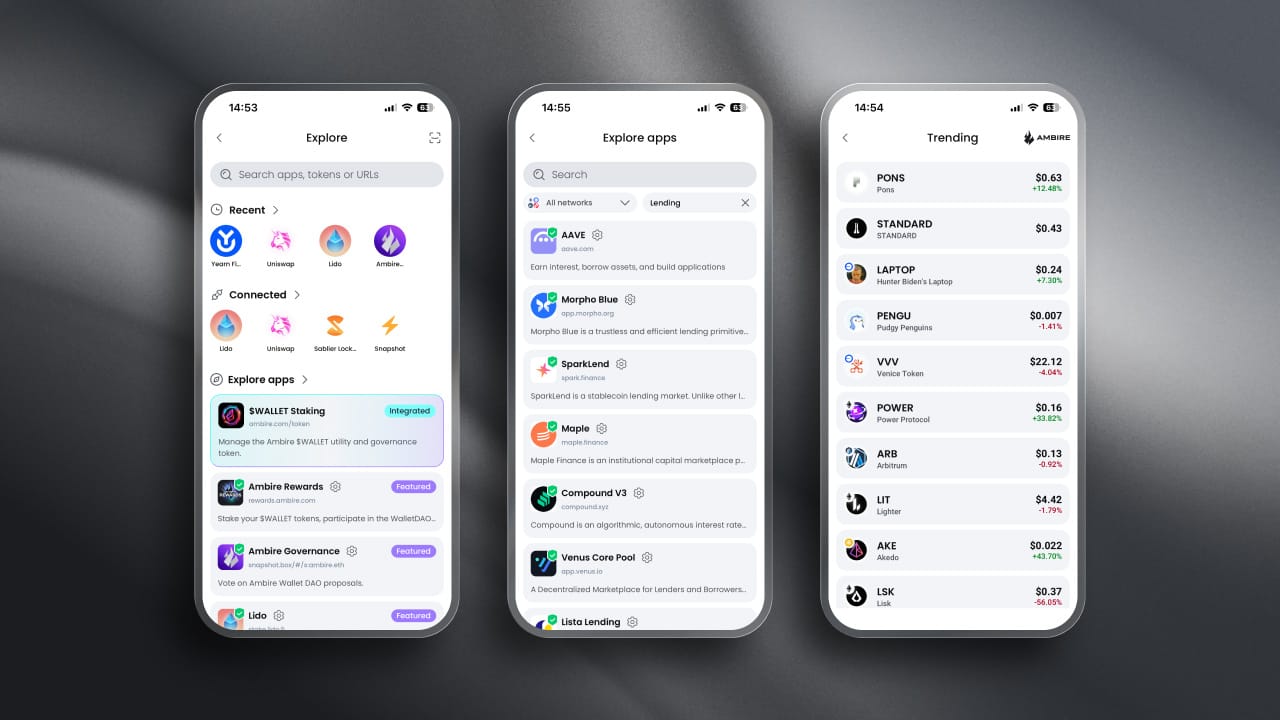
This is not a portfolio viewer with a send button bolted on. The whole point of V2 was one wallet across desktop and mobile, so what we shipped is the extension's feature set, just on your phone. Track your portfolio, swap tokens, and manage your DeFi positions on the go. Same accounts. Same smart features. Same clear signing. Same Gas Tank. Same security model.
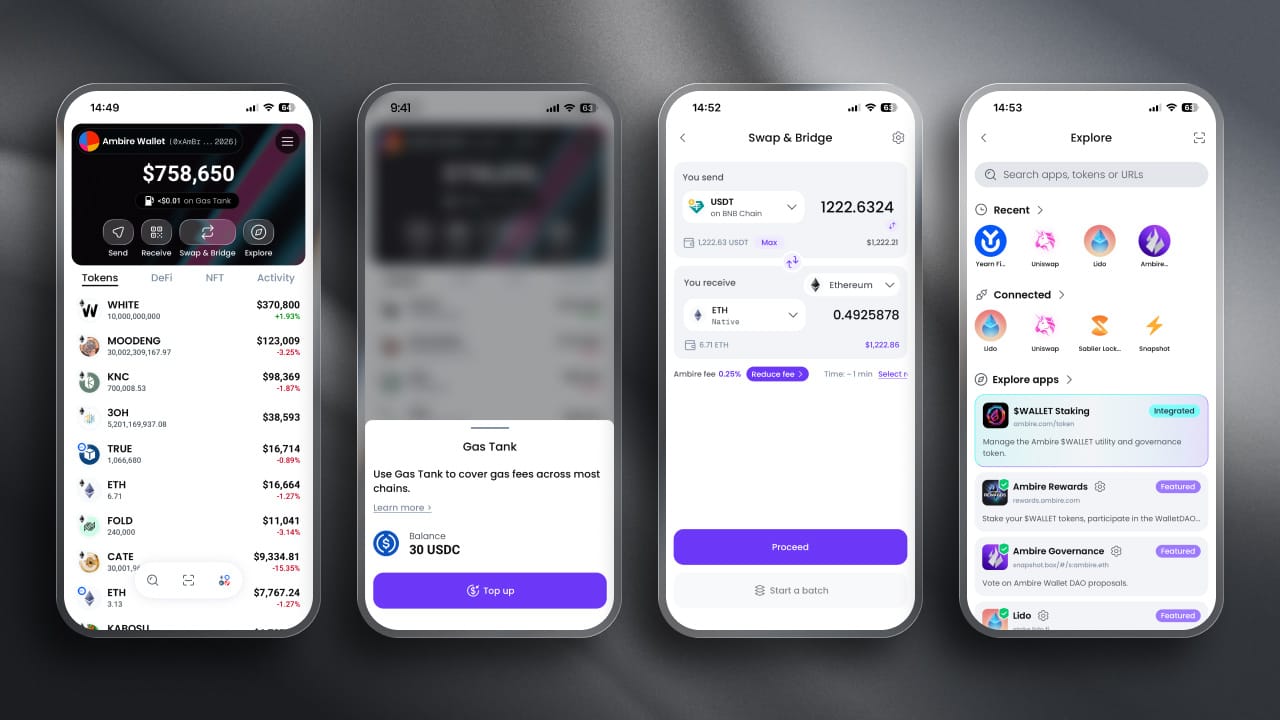
First things first: you will need an invite code
We are rolling out the app gradually, so during early access, an invite code is required to finish onboarding. Every code is unique, but not every code works the same way. Some unlock a single install. Others, like the ones we hand out on social, open the door for a whole batch of people before they run out.
That does mean a code someone passes you might already be spent. If yours does not work, it is not personal, just come and ask for a fresh one. And since we only ever share codes through our own channels, treat anyone DMing you an "official" code, especially one with a price or a form attached, as a scam.
How to get yours:
- Already testing via TestFlight or Google Play testing: If you have already set up a wallet with a device password, your code is pre-filled; carry on as before. If you have not, use the route below.
- Everyone else: Come chase us down on X, Discord, or Telegram, and you might get a code. We'll be releasing codes on our social media channels, so stay tuned.
Bring your accounts over with a scan
If you already use Ambire in your browser, getting set up on your phone takes under a minute.
Open the extension, scan the animated QR code with your phone, and your accounts are there. It works in both directions, so you can also move from mobile to extension.
The transport is the UR protocol, the same standard that air-gapped hardware wallets like Keystone use to move data across a camera. The payload is encrypted end-to-end with the destination device's key. Nothing goes to a server, there is no cloud backup, and there is no account to create. The data exists on two devices and nowhere else.
A couple of things the flow handles for you: you can optionally include recovery phrases in the sync, and if your device supports biometrics, you will be prompted to turn it on during import.
Security you can actually see
Self-custody only means something if you can tell what you are approving. Most of what follows exists to close the gap between "sign this" and "I know what this does."
Clear signing, not blind signing
Transactions show up in plain language before you sign, not as a wall of hex. We implement ERC-7730, the clear signing standard, so instead of decoding call data, you can read something like "Swap 28,369 WALLET for 407 USDC," and then you make an educated decision. Every transaction is simulated first, so you see the expected outcome rather than trusting a label.
Guardrails against the “boring” attacks
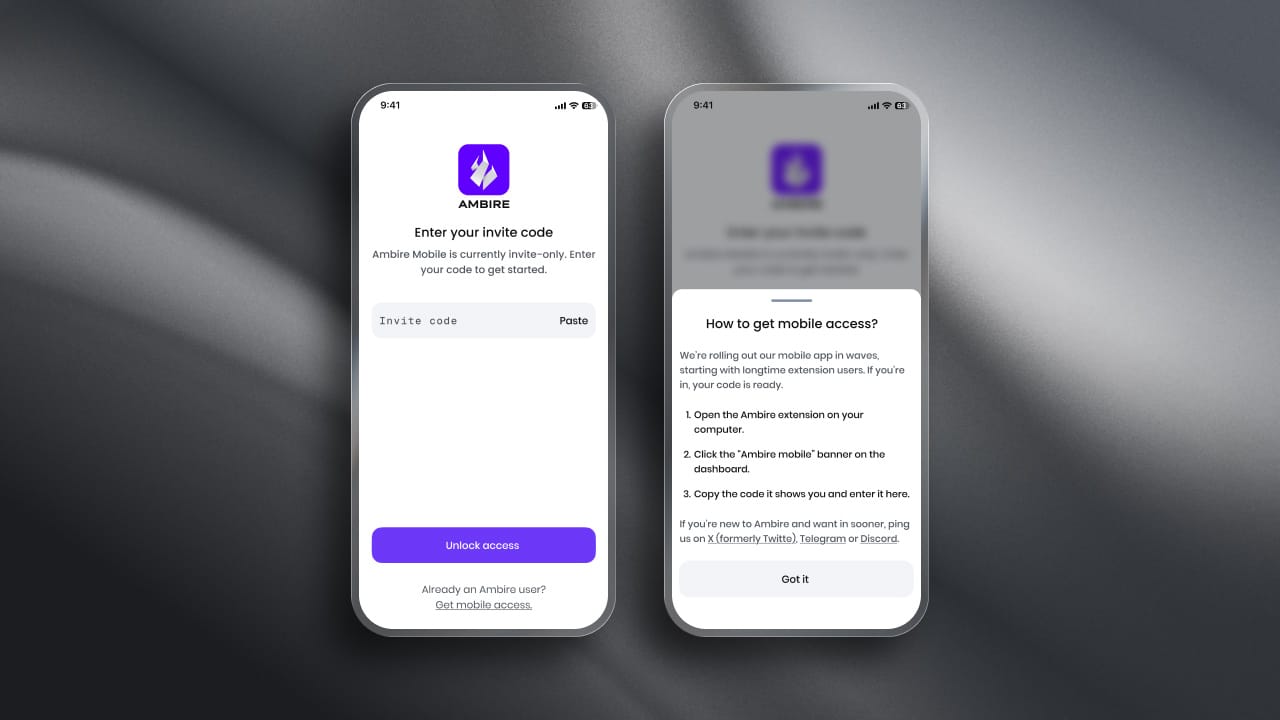
Most people do not lose funds to exotic exploits. They lose them to a pasted address that looks almost right, or an app that looks almost legitimate. So the app flags first-time recipients before you send, protects against address poisoning, and warns you about malicious contracts and apps.
A curated catalog and a browser that keeps you inside the wallet
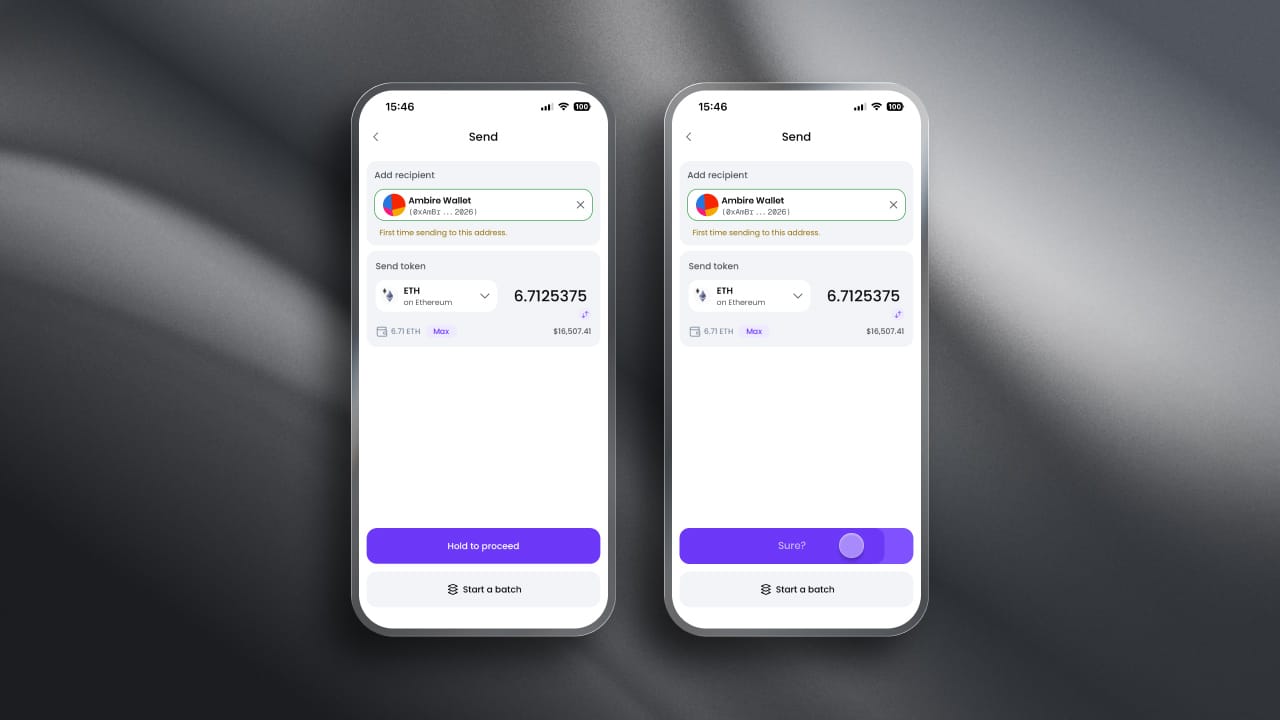
Explore offers a catalog of 500+ vetted and verified web3 apps across a wide range of chains. That curation is a security feature first: the fastest way to end up on a phishing clone is to search for an app and tap the wrong result.
The built-in browser is the convenience half. You browse, connect, and sign without leaving the wallet, with a full address bar when you need to go somewhere specific, and WalletConnect for anything outside the catalog. Jump into Jumper or DefiLlama from the catalog, or open your Hyperliquid and Lighter positions in a couple of taps.
DeFi positions from your portfolio open straight into the browser, too, so checking a position and acting on it is one continuous move instead of an app switch and a copy-paste.
Your hardware wallet, on your phone
Keys can stay on a dedicated signing device, and we support more of them on mobile than you would expect from a phone wallet.
| Brand | iOS | Android |
|---|---|---|
| Ledger | Bluetooth-capable models | Bluetooth/USB-OTG |
| Trezor | Bluetooth-capable models | Bluetooth/USB-OTG |
| Keystone | Animated QR | Animated QR |
| Keycard | Animated QR/NFC | Animated QR/NFC |
| imToken | Animated QR | Animated QR |
Two footnotes worth knowing. Ledger over USB is not available on iOS, which is an Apple restriction rather than ours, so Bluetooth is the way in on iPhone. Trezor works through the Trezor Suite app, which needs to be installed on the device.
The QR wallets are fully air-gapped. Display the animated QR on one device, scan the response on the other. No cable, no Bluetooth, no connectivity at all.
Biometrics unlock sits on top of all of this. Being precise here: Face ID and fingerprint are an unlock layer over password-based encryption, not a replacement for it. Your keys are always stored encrypted on the device.
Privacy by default
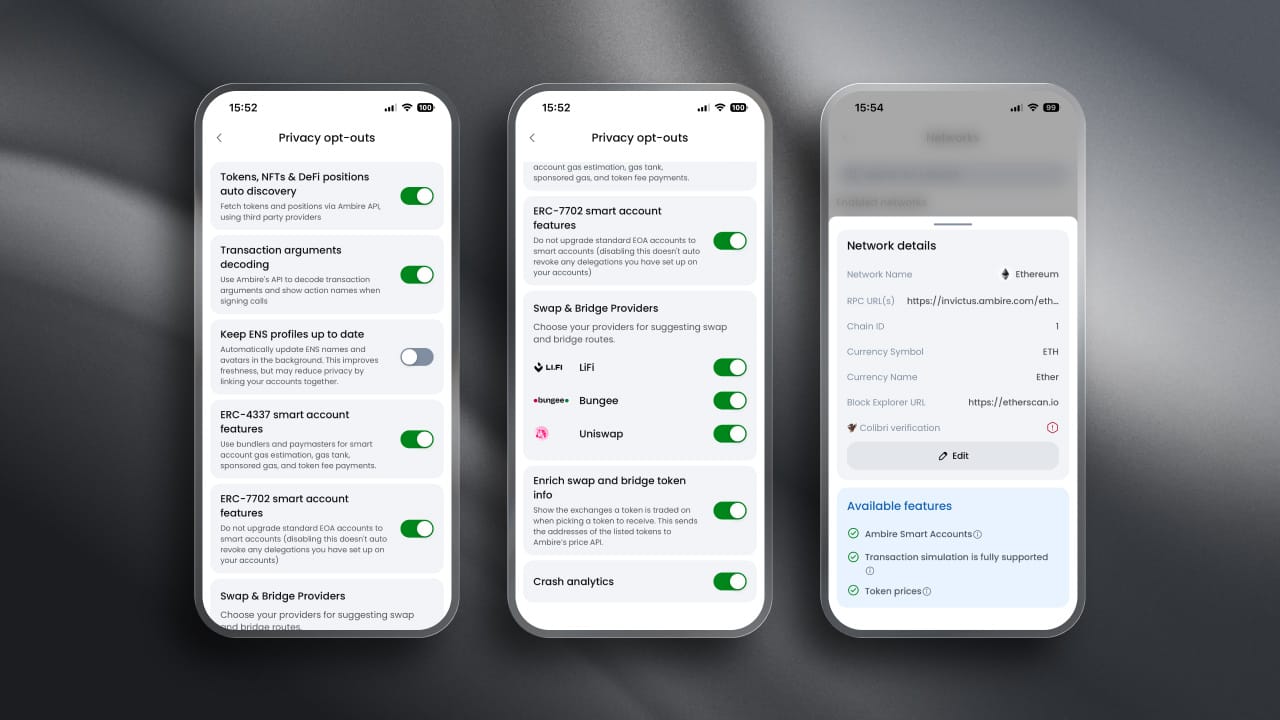
The app talks to RPCs directly and keeps third-party dependencies to a minimum. Where we do rely on an external service, you can switch it off. More of these controls are on the way.
Before you import a single account, you can pick your network and set a custom RPC. That order matters. It means your first connection can be one you chose.
Ambire enables you to configure custom RPCs, networks, and set privacy opt-outs before creating or importing your accounts.
— ambire.eth (@ambire) August 14, 2026
Why it matters: You are in complete control of who you share data with.
Privacy is normal. pic.twitter.com/8PWRcapJ7Q
That's the extension, but the mobile flow works the same way.
After that, Privacy opt-outs in the menu give you a toggle per service, covering things like auto-discovery of your tokens and positions, transaction decoding, and crash analytics. Each one tells you what it does and what you give up by turning it off, so it is an informed trade rather than a mystery switch.
The smart features came with it
Everything that makes the extension worth using is here, working the same way.
Full EIP-7702 support means your existing EOA gets smart account features without changing address. Pay for gas in tokens rather than the chain's native coin through the Ambire Gas Tank, so you are never stuck holding the wrong asset at the wrong moment. Batch several actions into one transaction and sign once.
Swap and bridge inside the app, where the cheapest route is preselected for you, and the full list is one tap away if you would rather optimize for speed. Track DeFi positions, NFTs, and activity from the same portfolio view.
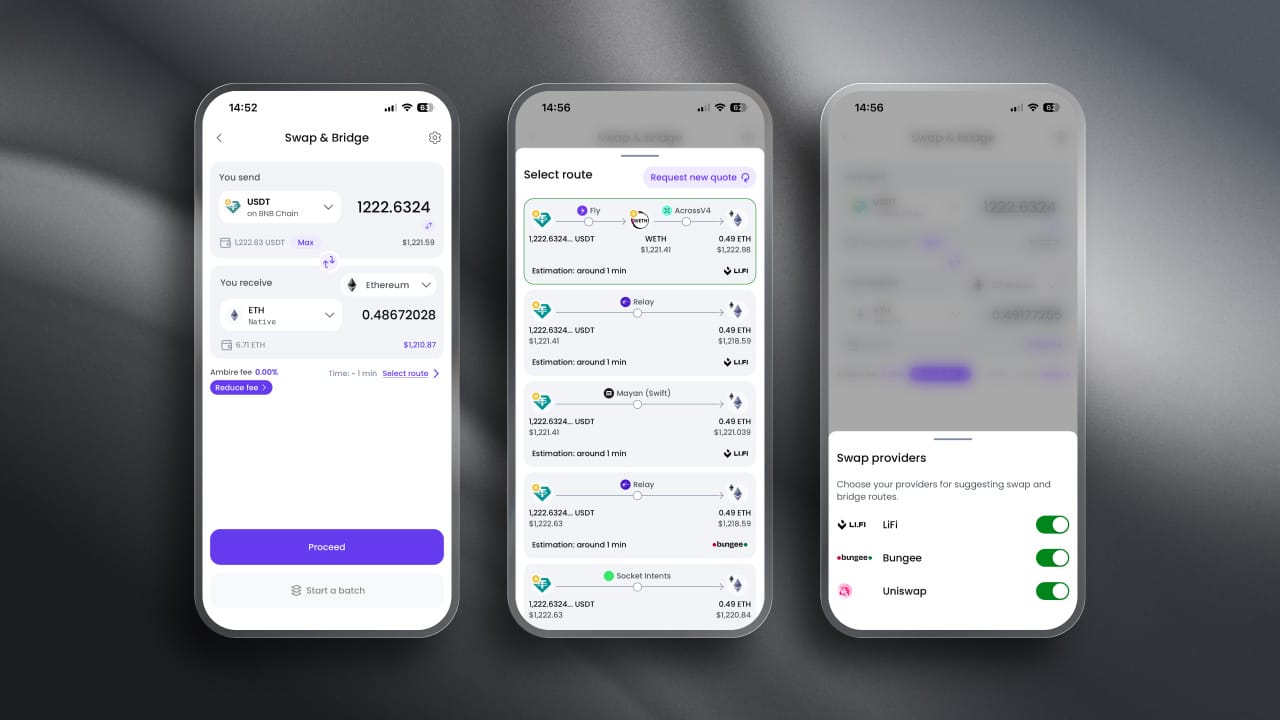
You also decide who gets to suggest those routes. LiFi, Bungee, and Uniswap each have their own toggle in the Swap & Bridge settings, so you can narrow the field to the aggregators you trust and exclude the rest from the quote.
Safe accounts, from your phone
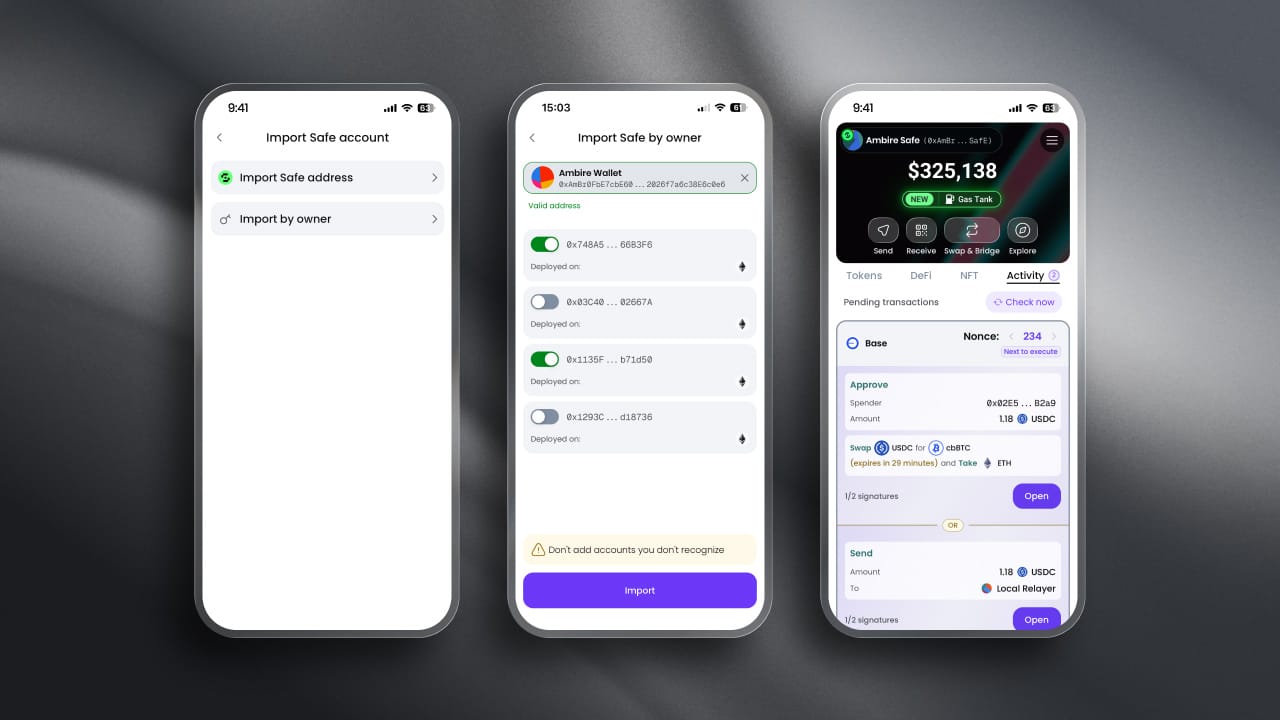
Not many wallets let you handle a Safe multisig on mobile. This one does.
Import a Safe by address, or import by owner, and let the app search every enabled network for Safes your key controls, then pick the ones you want. From there, you sign and queue transactions like you would anywhere else.
If you are the person who gets pinged to approve a treasury transaction while standing in a supermarket queue, this one is for you.
Gas Tank came too
The Gas Tank is a prepaid balance that covers your transaction fees. You top it up once; it holds your funds in USDC, and from then on, your gas is deducted from that balance instead of from the chain's native token.
Top up with 100+ tokens and spend the balance across EVM chains, including Ethereum, Robinhood Chain, Arbitrum, Optimism, Base, Polygon, BNB Chain, Avalanche, Scroll, Gnosis Chain, and others.
The practical version: you stop keeping a dust bag of native tokens on every chain just in case. One balance, every network, no last-minute scramble to bridge a few dollars of ETH before you can move. A couple of networks accept Gas Tank payments without supporting top-ups, and the app tells you which when you get there.
Get the app now
Ambire Mobile is live on the App Store and Google Play.
If you are on the extension, your code is on its way to your dashboard. If you are not, find us on X, Discord, or Telegram, and we will sort you out. We are watching feedback closely during early access, and this is the stretch where what you tell us actually changes what ships next.
Interested in Ambire? Follow us:
Discord | X (Twitter) | Reddit | GitHub | Telegram
